VNC over SSH2 - A TightVNC Tutorial
Van Emery - June, 2003
Introduction:
If you have ever needed to access a GUI desktop on a remote machine, you will appreciate TightVNC. It is cross-platform, Open Source, works well, and is free. When coupled with SSH, it is also very secure. It solves some of the same problems as X over SSH, but uses less bandwidth to do it. System administrators and power users alike will appreciate TightVNC, as it will add another flexible tool to their repertoire.This tutorial is not about using VNC through a web browser, or via the traditional unencrypted methods. This tutorial focuses on the following:
- Linux/Unix to Linux/Unix secure connections, especially over low-bandwidth WAN links
- Win32 to Linux secure connections
We will also take a look at bandwidth utilization and quality compared to X over SSH, and security considerations. When complete, you should be able to use TightVNC over SSH2 to assist you in your daily work.
TightVNC and VNC both have excellent documentation on their respective webpages, and I urge you to take a look for yourself if you want more information on how to use VNC for other tasks. Also, the man pages that come with the TightVNC packages are well-written and thorough.
The Basics:
What is VNC?
VNC stands for Virtual Network Computing, and it was developed at the Olivetti & Oracle Research Laboratory (Cambridge, England) in 1994. Originally running on an ATM-connected thin client device, it was ported to other platforms, including Win32, Unix, GNU/Linux, and Mac OS. It is a remote display system which allows a thin client to remotely access a desktop GUI environment on another computer over the network.
Since it is platform independent, you can remotely run an Apple desktop from a Windows client, or a Unix desktop from an Apple client, and so on. The thin client (called the VNC viewer) is small enough to fit on a floppy or run from a Java-enabled web browser. Other cool features include the ability to share a desktop session with more than one client, and the "stateless" nature of the VNC viewer.
What does this mean to a Linux/Unix administrator or power user? It means that you can run a GUI desktop on a remote machine, over a LAN or over the Internet. For a complete overview and complete documentation, see the Virtual Network Computing homepage .
The VNC Protocol
From the VNC homepage, a description of the VNC protocol:
The VNC protocol is a simple protocol for remote access to graphical user interfaces. It is based on the concept of a remote framebuffer RFB. In the past we have tended to refer to the VNC protocol as the RFB protocol, so you may have seen this term in other publications. The protocol simply allows a server to update the framebuffer displayed on a viewer. Because it works at the framebuffer level it is potentially applicable to all operating systems, windowing systems and applications. This includes X/Unix, Windows 3.1/95/NT and Macintosh, but might also include PDAs, and indeed any device with some form of communications link. The protocol will operate over any reliable transport such as TCP/IP.
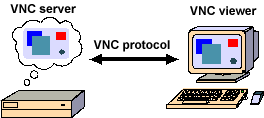
This is truly a "thin-client" protocol: it has been designed to make very few requirements of the viewer. In this way, clients can run on the widest range of hardware, and the task of implementing a client is made as simple as possible.
What is TightVNC?
TightVNC is an enhanced version of VNC. It includes better compression algorithms for improved performance over WAN links, as well as new features like automatic SSH tunneling between Unix/Linux hosts. For a complete list of enhancements and complete documentation, see Constantin Kaplinsky's TightVNC homepage.SSH, or the Secure Shell, is the "Swiss Army knife" of host-to-host networking. It allows secure (encrypted and authenticated) connections between any two devices running SSH. These connections may include terminal (CLI) sessions, file transfers, TCP port forwarding, or X Window System forwarding. SSH supports a wide variety of encryption algorithms, including AES-256 and 3DES. It supports various MAC algorithms, and it can use public-key cryptography for authentication or the traditional username/password. The good news is that SSH does not cost anything on the client or server side, although there are some nice SSH packages for MS Windows that require you to purchase commercial licenses.
What is SSH?
For more info on SSH, check out the official OpenSSH website .
Getting the Software:
You can get the latest binary packages or source Tarballs at TightVNC.com. For this tutorial, I used the Red Hat 7.x packages, which also worked perfectly on Red Hat 8.0. For your convenience, I have placed the RPMs here on this page, as well as the viewer for Win32 clients:| Package Description |
Click Link to Download |
| TightVNC Server RPM Package (x86) |
tightvnc-server-1.2.8-1.i386.rpm
|
| TightVNC Viewer RPM Package (x86) |
tightvnc-1.2.8-1.i386.rpm |
| TightVNC
Viewer for Windows (No installation necessary, just unzip and run.) |
tightvnc-1.2.8_x86_viewer.zip |
Installing the Software:
Your Red Hat install may have included the standard VNC packages. To uninstall the existing VNC packages:
rpm -qa | grep vnc
If VNC packages are installed, you will remove them with the following command:
rpm -e pkgname
From the directory with the new TightVNC packages, install them with:
rpm -ivh tight*rpm
How to use TightVNC over SSH - Examples:
Here you will see:
1. TightVNC over SSH from one Linux host to another over the LAN
2. TightVNC over SSH from one Linux host to another over a trans-Pacific WAN
3. TightVNC over SSH from a Win32 PC to a Linux host.
Environment:
Red Hat 8.0 on a Pentium III IBM Thinkpad Laptop (LAPTOP) 192.168.1.191Red Hat 7.3 on a Pentium II 400 MHz Dell Optiplex (LAB)
Red Hat 7.2 on a Pentium II 350 MHz Dell Optiplex (HOUSE)
Red Hat 8.0 on a Pentium III 667 MHz generic tower, 256 MB RAM (RAT) 192.168.1.2
Assumptions:
1. You have X server software on your "local" system, the system that will run the TightVNC viewer (client).2. The remote system (should be a Linux or Unix host) should have X window support, and Gnome, KDE, or some other desktop environment. It also needs to have the TightVNC server package installed.
4. The firewalling setup on your hosts allows the SSH session to take place.
5. You have sshd configured and running on the remote system.
Example #1 - TightVNC over
SSH from LAPTOP to RAT with the same username, using the default SSH port,
TCP 22
On RAT, enter the following:[vncuser@rat .vnc]$ vncserver :64 -geometry 1024x768 -depth 16 -name RAT
You will require a password to access your desktops.
Password: ********
Verify: ********
Would you like to enter a view-only password (y/n)? y
Password: ********
Verify: ********
New 'RAT' desktop is rat:64
Starting applications specified in /home/vncuser/.vnc/xstartup
Log file is /home/vncuser/.vnc/rat:64.log
[vncuser@rat .vnc]$
[vncuser@rat .vnc]$ netstat -ta
Active Internet connections (servers and established)
Proto Recv-Q Send-Q Local Address Foreign Address State
tcp 0 0 *:32768 *:* LISTEN
tcp 0 0 *:5864 *:* LISTEN
tcp 0 0 *:ssh *:* LISTEN
tcp 0 0 *:5964 *:* LISTEN
tcp 0 0 *:sunrpc *:* LISTEN
tcp 0 0 *:6064 *:* LISTEN
tcp 0 0 *:x11 *:* LISTEN
tcp 0 0 *:http *:* LISTEN
tcp 0 0 *:ftp *:* LISTEN
tcp 0 0 rat:smtp *:* LISTEN
tcp 0 0 *:https *:* LISTEN
Now the server is listening on ports 5864, 5964, and 6064. (5800 + display#=5864), (5900 + display#), (6000 + display#)
On LAPTOP, type the following:
(You must be in an X session! Note that the display number is very important.)
[vncuser@Laptop vncuser]$ vncviewer -via 192.168.1.2 mysql:64
[email protected]'s password:
VNC server supports protocol version 3.3 (viewer 3.3)
Password:
VNC authentication succeeded
Desktop name "vncuser's RAT desktop (rat:64)"
Connected to VNC server, using protocol version 3.3
VNC server default format:
16 bits per pixel.
Least significant byte first in each pixel.
True colour: max red 31 green 63 blue 31, shift red 11 green 5 blue 0
Using default colormap which is TrueColor. Pixel format:
16 bits per pixel.
Least significant byte first in each pixel.
True colour: max red 31 green 63 blue 31, shift red 11 green 5 blue 0
Using shared memory PutImage
Tunneling active: preferring tight encoding
===============
From ~/.vnc/rat:64.log
29/05/03 22:01:39 Got connection from client 127.0.0.1
29/05/03 22:01:39 Protocol version 3.3
29/05/03 22:01:43 Full-control authentication passed by 127.0.0.1
29/05/03 22:01:43 Pixel format for client 127.0.0.1:
29/05/03 22:01:43 16 bpp, depth 16, little endian
29/05/03 22:01:43 true colour: max r 31 g 63 b 31, shift r 11 g 5 b 0
29/05/03 22:01:43 no translation needed
29/05/03 22:01:43 Using tight encoding for client 127.0.0.1
29/05/03 22:01:43 Using image quality level 6 for client 127.0.0.1
29/05/03 22:01:43 Enabling X-style cursor updates for client 127.0.0.1
29/05/03 22:01:43 Enabling cursor position updates for client 127.0.0.1
29/05/03 22:01:43 Enabling LastRect protocol extension for client 127.0.0.1
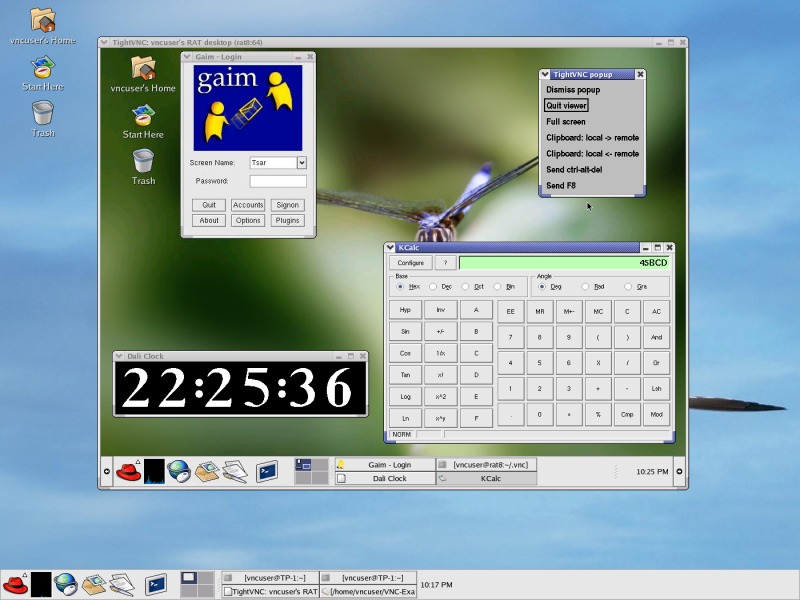 Screenshot of
TightVNC over SSH session from LAPTOP to RAT over LAN
Screenshot of
TightVNC over SSH session from LAPTOP to RAT over LANNote the
TightVNC control window. The <F8> key displays the window,
from here you can end your VNC session.
To close the session, use the <F8> key and select the "Quit Viewer" option. This will disconnect you from the VNC server, but it will leave the desktop and all of the programs running. When you connect again from LAPTOP or any other host, you will begin again exactly where you left off. This is why the VNC viewer is considered "stateless".
TIP: Do not close the remote destop or window manager in the typical way. If you do this, you will have to restart the VNC server on RAT before you can connect and use the GUI again.
If you do not want to keep the VNC server running when you are done, login to RAT and issue the following command:
[vncuser@rat vncuser]$ vncserver -kill :64
Killing Xvnc process ID 28357
[vncuser@rat vncuser]$
Now you will not be able to connect from a remote host again until you restart the VNC server.
To close the session, use the <F8> key and select the "Quit Viewer" option. This will disconnect you from the VNC server, but it will leave the desktop and all of the programs running. When you connect again from LAPTOP or any other host, you will begin again exactly where you left off. This is why the VNC viewer is considered "stateless".
TIP: Do not close the remote destop or window manager in the typical way. If you do this, you will have to restart the VNC server on RAT before you can connect and use the GUI again.
If you do not want to keep the VNC server running when you are done, login to RAT and issue the following command:
[vncuser@rat vncuser]$ vncserver -kill :64
Killing Xvnc process ID 28357
[vncuser@rat vncuser]$
Now you will not be able to connect from a remote host again until you restart the VNC server.
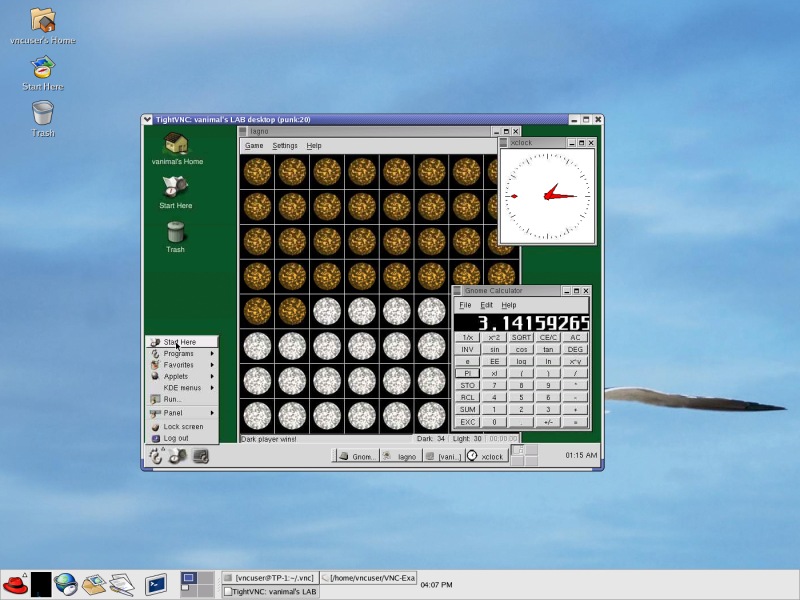
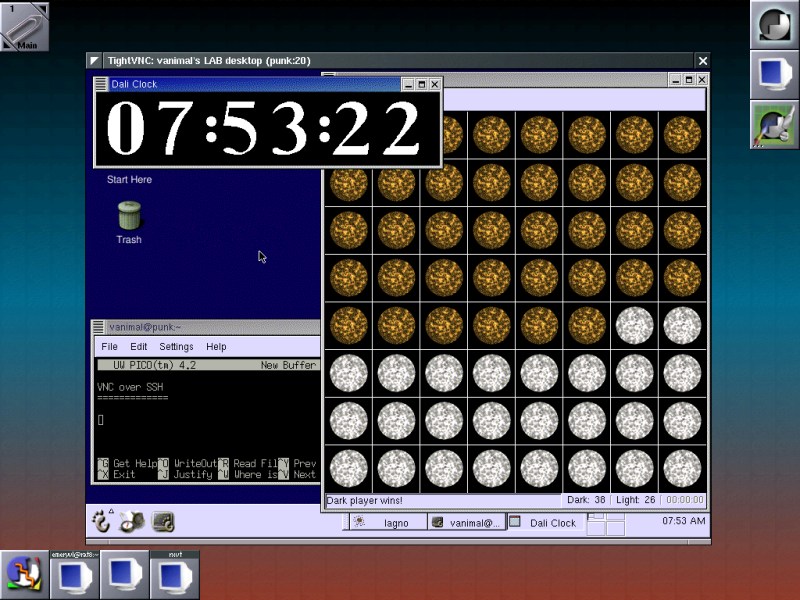 Session from RAT
(running WindowMaker) to LAB (running Gnome) over WAN
Session from RAT
(running WindowMaker) to LAB (running Gnome) over WAN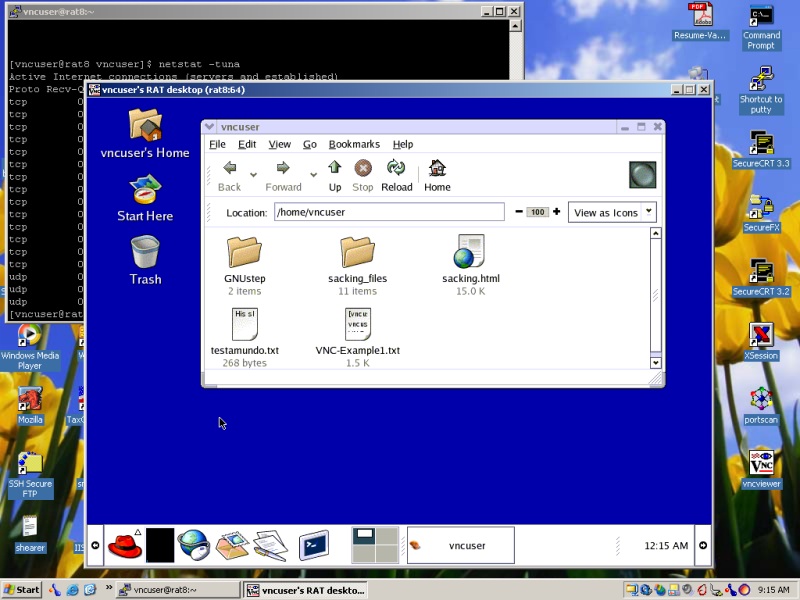 Session from Windows XP to a VNC server on RAT.
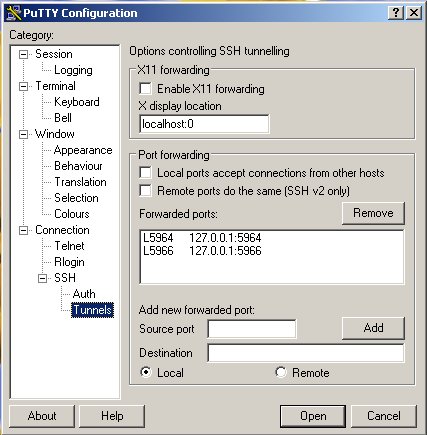 Screenshot of PuTTY port
forwarding setup for TightVNC over SSH
Screenshot of PuTTY port
forwarding setup for TightVNC over SSH